Buddy punching
One worker clocks in a friend who’s running late, or not coming at all.
Platform / Verify
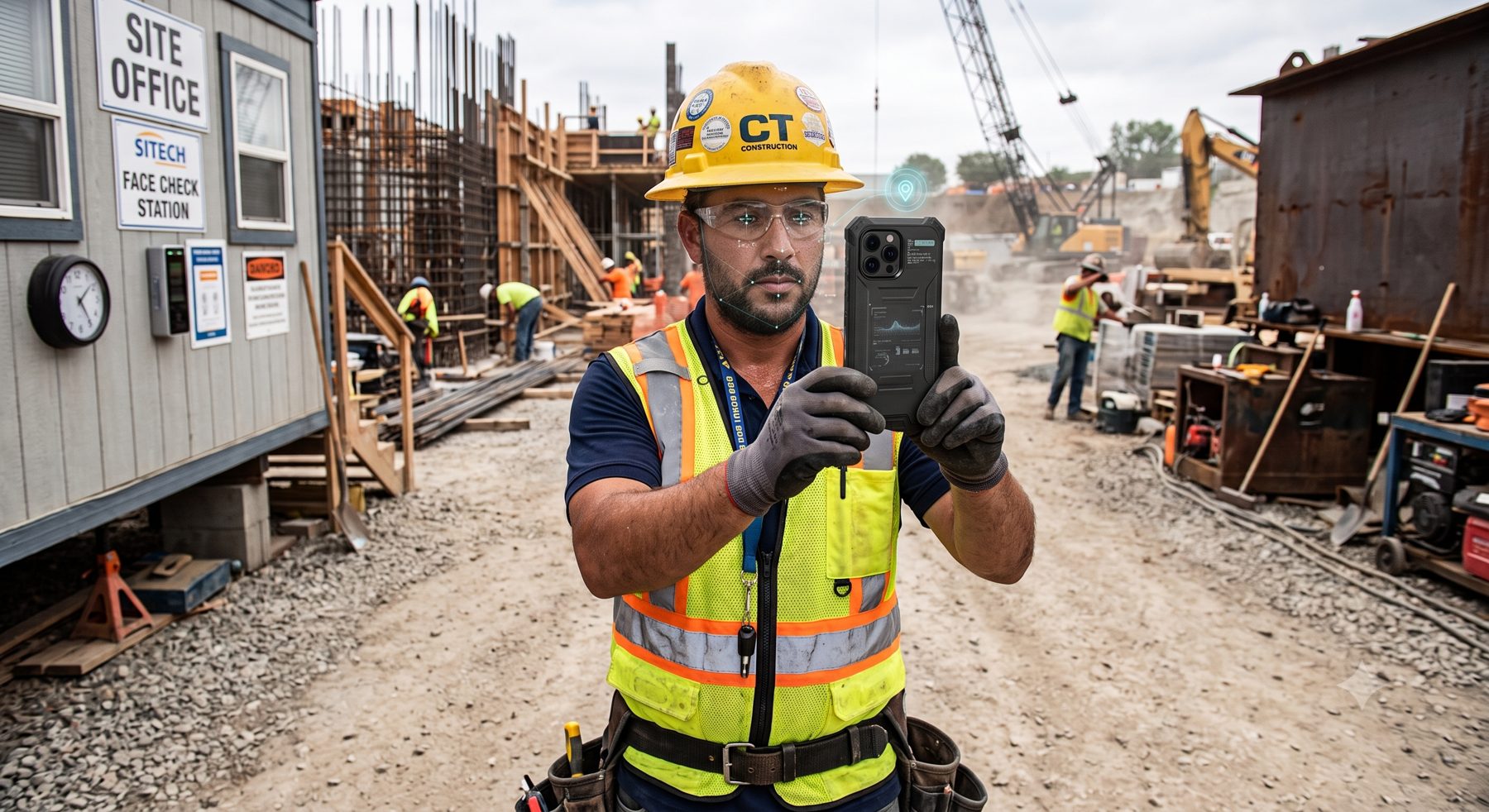
VerifyBiometric Time & Attendance confirms every punch with a face match, a liveness check and the job-site location, even on sites with patchy signal. Bad punches stop reaching payroll.
Punch clocks, paper sheets and PIN codes can’t tell you who actually clocked in, or where they were when they did.
One worker clocks in a friend who’s running late, or not coming at all.
Punches from the parking lot, the truck or home get paid as time on the job.
Paper sheets and manual edits round up, add minutes and are impossible to audit.
Without proof of who was where and when, every pay dispute becomes your word against theirs.
Opens the CrewTeams app on their phone when they reach the job.
The camera matches their face to their enrolled profile and checks it’s a live person, not a photo.
Geofencing confirms the punch is happening inside the job-site boundary.
Who, where and when are stored together. Supervisors see it immediately and payroll gets clean hours.
Matches each worker’s face to their enrolled profile at every clock-in and clock-out.
Tells a live person from a photo or video, so nobody can punch in for someone else.
Each site gets a boundary. A punch only counts when it’s made inside it.
No signal on a remote site? The punch, photo, time and location are captured on the phone, then verified and synced when the connection returns.
Supervisors see who’s on site and who’s missing across every location, from one screen.
Every punch keeps its identity check, location and time, ready for payroll reviews, client audits and disputes.
Face data is sensitive, and more governments regulate it every year. The underlying platform already operates under Brazil’s LGPD, which treats biometric data as sensitive personal data. CrewTeams brings the same discipline to the U.S. and Canada.
CrewTeams is designed to help employers meet their obligations under these laws. Employers remain responsible for their own compliance and should confirm requirements with counsel.
Each worker is told what’s collected, why and for how long, and gives written consent before their face is enrolled.
Face data is used to confirm who is clocking in and out. It is never sold, and never used for marketing or any other purpose.
Biometric data is deleted when a worker leaves or when the retention period required by law ends, whichever comes first.
Workers can ask what’s held about them and request correction or deletion, as laws like Brazil’s LGPD require.
Stored on enterprise cloud infrastructure, with access limited to the identity check itself.
Consent records and retention settings for every worker and location, ready for audits.
Because everything about every worker lives in one place, each verified punch feeds compliance, the crew app and pay automatically.
Compliance Shield™ checks credentials at the punch, and applies overtime, rest and meal-break rules to the verified hours.
Learn more →EngagePunching happens in Mobilize™, the same app where workers see their shifts, pay and recognition.
Learn more →RewardOnce a shift is verified, pay can go out the same day. No waiting on timesheet approval.
Learn more →No. It’s used only to verify identity at clock-in and clock-out, with the worker’s written consent, and deleted when it’s no longer needed.
The app captures the punch, photo, time and location on the phone, then completes verification and syncs automatically when the connection comes back. The original time and location are kept.
No. A punch only counts inside the job-site geofence you set for each location.
No. Liveness detection checks that a real, present person is in front of the camera before the face match is accepted.
Verified hours flow to your payroll system through our integrations, so nobody re-keys timesheets.
We’ll set up a geofence at one of your locations and walk your supervisors through clock-in, verification and payroll-ready hours.